


Streaming traffic is highly engaged, but not every ad format turns that attention into revenue. Learn which formats and placements work best for streaming websites and how to monetize viewers without driving them away.

What makes Streaming Traffic Different
Nearly every visitor to a regular content website might open an article, spend a few seconds on a page, then leave. By contrast, streaming visitors usually arrive with a much more specific goal: they want to watch this particular match, movie, or stream.
Longer sessions
If users find the content they came for, they may remain on the same page for as long as the content is playing.
More user interactions
Play, Pause, Full Screen, server selection, episode selection, and navigation between streams. Later in this article, we’ll explain how some of these high-intent interactions can be used for Direct Link placements.
Predictable demand
Publishers know the calendars for competitions and events such as the Champions League, World Cup, UFC, and NBA Finals. Traffic spikes may be difficult to handle when they arrive, but publishers can often predict when they are likely to happen.
Time-sensitive intent
If a match has already started, the user wants to watch it right now. They’re not planning to bookmark the page and come back next week.
Streaming traffic is valuable because users arrive with strong intent, stay engaged with the content, and repeatedly interact with the page.

Have streaming traffic to monetize?
Join HilltopAds and start earning from your audience.
Live vs. On-Demand Streaming Traffic
Broadly speaking, streaming websites can be divided into two traffic models.
On-demand streaming usually has a relatively stable baseline. New movies, episodes, releases, or viral content can trigger traffic spikes, but users still tend to arrive at different times throughout the day.
Live and event-driven streaming behave very differently.
Before the event → Traffic grows → Event starts → Traffic spikes → Break/halftime → Another spike → Event ends → Traffic drops
During major World Cup matches, for example, traffic increased several times compared with quieter periods.
The size of each traffic spike can depend on several factors:
- Popularity of the event, team, or content
- GEO
- Local event time
- Tournament stage
- Mobile vs. desktop traffic
- Competing streams and platforms
- How well the page ranks or is promoted
The 2026 World Cup offered a particularly interesting example. Cloudflare’s analysis showed that individual matches could noticeably change Internet activity around the world. Argentina vs. Switzerland produced the largest worldwide deviation from normal Internet activity in its analysis, even ahead of the France vs. Spain semifinal.
We saw the event-driven pattern on the publisher side. During the World Cup, HilltopAds worked with streaming publishers whose traffic and monetization results changed dramatically around major matches.
Check out our article on how to monetize sports traffic spikes:
Best Ad Formats for Streaming Websites
Video VAST seems like the obvious choice: if you have a video website, video advertising should naturally be the most profitable option, right? Not necessarily. Based on our experience with streaming publishers, Video VAST can perform well, but isn’t automatically the highest-earning format simply because the website serves video. It can still be worth testing, but publishers should compare its actual performance against formats such as Popunder and Direct Link and let the actual revenue decide.
The first format we would test is popunder. Popunder works well with streaming traffic for several reasons. Since users have strong intent, they are more motivated to access the content they are coming for. The popunders ads do not cover the original streaming page.
However, we wouldn’t recommend trying to squeeze the maximum, possible number of impressions out of every visitor. Try to find the frequency capping that wouldn’t hurt user experience and won’t make them leave your website.
Direct Link gives publishers more flexibility because the URL can be attached to a specific interaction or element on the website.
Ad placement should follow user behavior, not simply fill every empty space on the page.
A typical streaming page gives you several possible monetization points: around the player, inside the player experience, between content sections, or during navigation to another stream or episode.
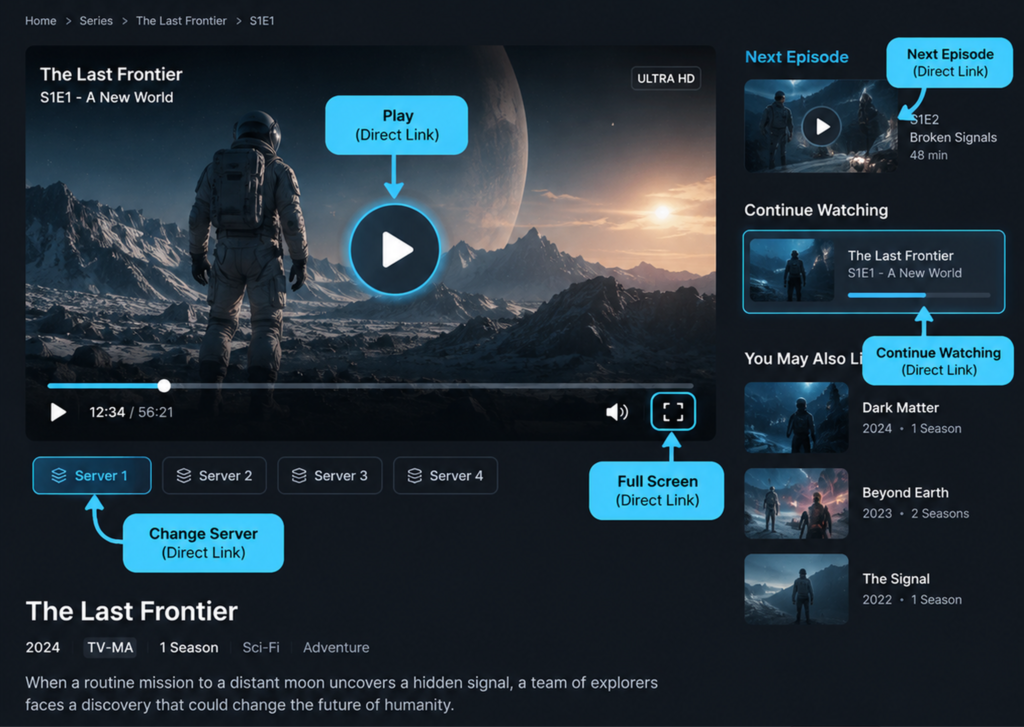
The important thing is not to monetize every possible interaction immediately. Start with one high-intent action, measure the result, and expand only if the user experience remains acceptable.
If you are pretty conservative, you can still use traditional banner ads. Hilltopads supports the exclusive ad format MultiTag Banner. With this ad format you can benefit from multiple ad formats at the same time – popunders and banners.
For example, a relatively balanced setup could look like this:
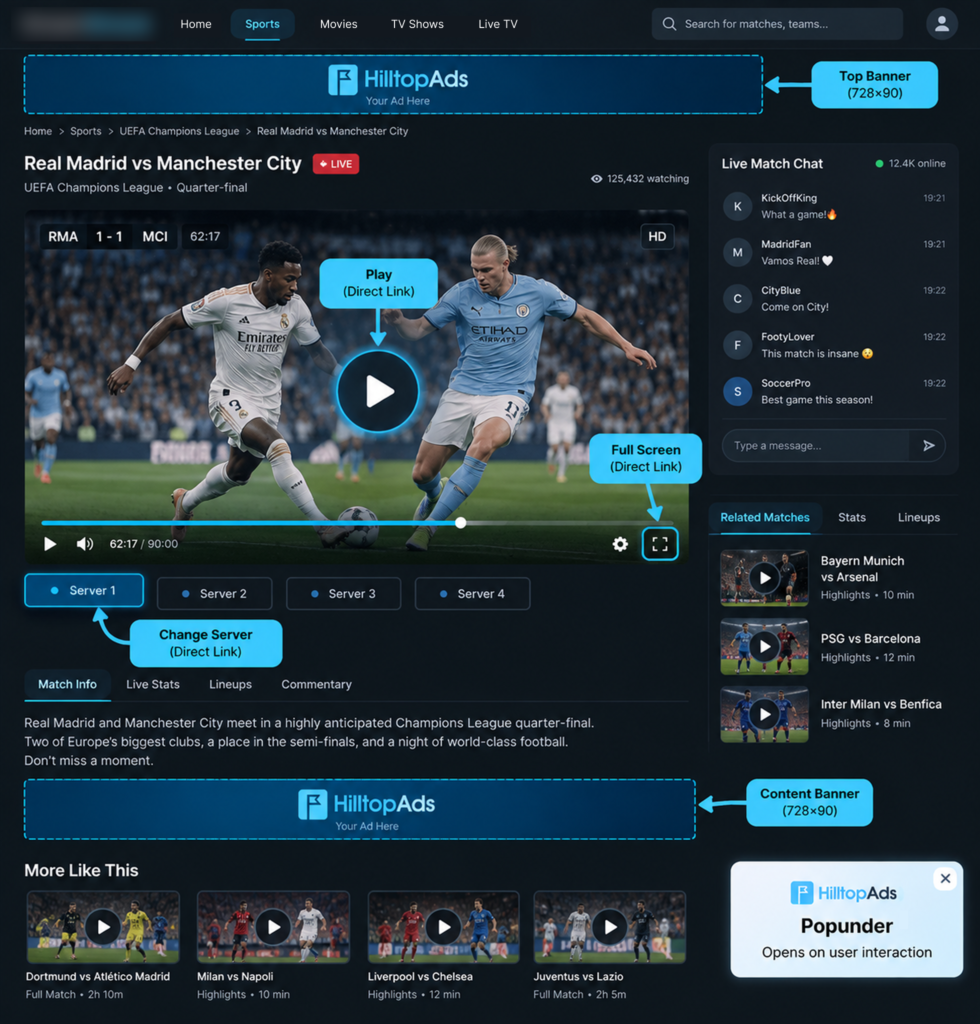
Device type matters as well. A Banner that fits naturally around a desktop player can occupy a large portion of a smartphone screen. Always test your monetization setup on the devices your audience actually uses.
The goal is to make ads feel like part of the website’s monetization structure – not an obstacle standing between users and the content they came to watch.
We recommend reading the article on how to increase website revenue without increasing traffic:
How to Start Working with HilltopAds If you have a Streaming Website
Ready to monetize your streaming traffic? Here’s how to get started with HilltopAds.
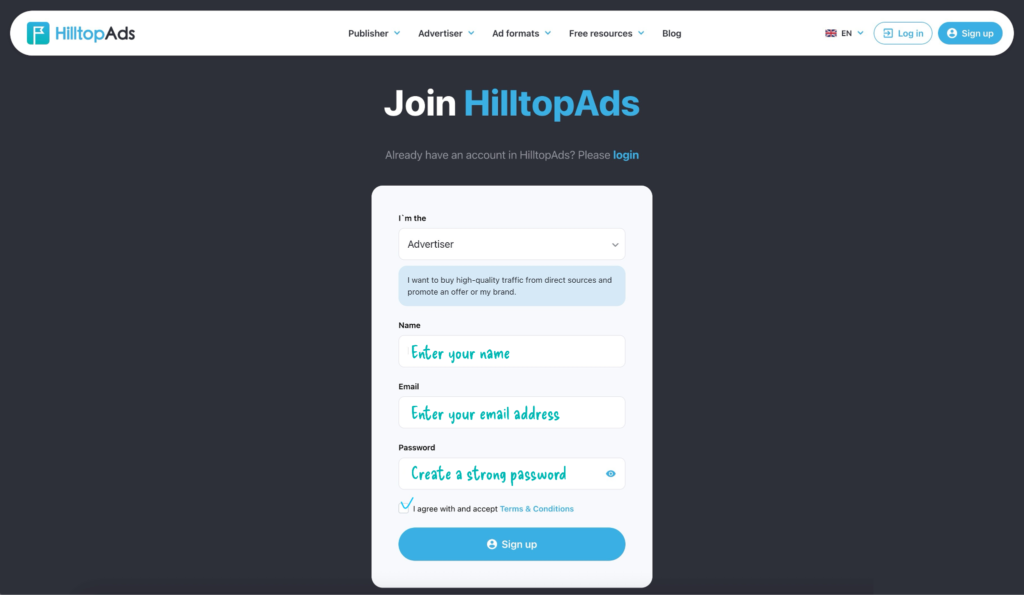
Step 2. Add your streaming website
Go to Manage Site & Zones → Add Site and submit your website.
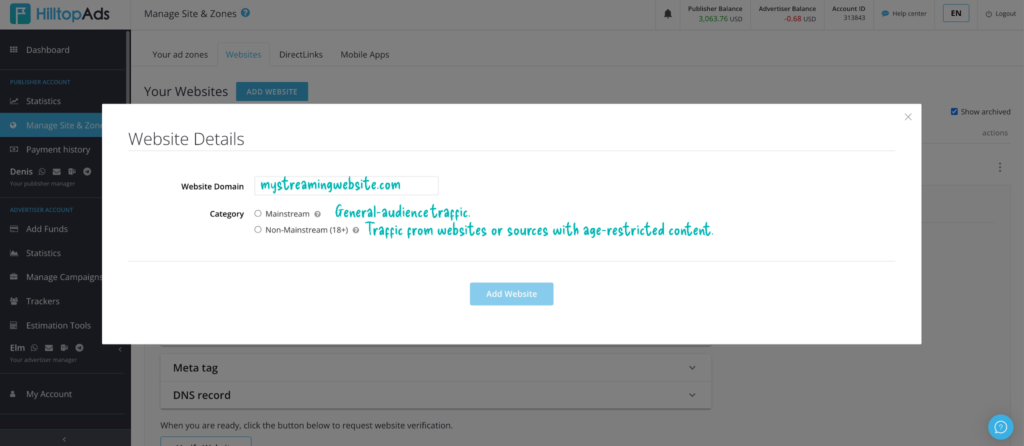
Once your website has been added, complete the required verification and moderation steps.
Step 3. Choose your first ad formats
You don’t need to activate every available format from day one.
If you’re not sure where to start, consider testing MultiTag Banner first. Once you’ve established a baseline, you can add Direct Link or another format and measure whether it produces incremental revenue.
Step 4. Create your zones and install the ad code
Create the required advertising zones in your HilltopAds account and install the generated code on your website.
Keep in mind that Direct Link integration works differently from a standard ad tag because you decide which website element or interaction will trigger the URL.
Step 5. Set up your player placement
If you’re testing Direct Link, choose the interaction you want to monetize – for example, Play or Change Server.
For display formats such as Banner, determine where the placement should appear in relation to the player and other content.
Always test the final implementation on both desktop and mobile.
Step 6. Give the test enough time to collect meaningful data
Don’t make major optimization decisions after the first hundred impressions.
Monitor your performance across several metrics:
Impressions → CPM → Revenue → GEO → Device → Format
For sports and other event-driven websites, also compare regular days against major event days. A setup that looks average on a quiet Wednesday may behave very differently during a major match.
Step 7. Optimize with your Publisher Manager
Not sure whether you should add another format, change a placement, or adjust your existing setup?
Reach out your HilltopAds Publisher Manager. They can help identify formats, settings, and placements worth testing based on your actual traffic.
Your audience is already coming to watch. Make sure those visits are generating revenue.