


Learn why mobile traffic converts differently from desktop traffic and how to optimize ads, landing pages, targeting, and user experience for higher ROI.
Mobile and desktop traffic differ not only because one screen is small and the other is large. The real difference is context. A desktop user is usually seated, focused, and ready to compare several pages. A mobile user may be commuting, waiting in line, watching a video, switching between apps, or reacting to a quick impulse.
Due to these differences, mobile advertising can produce strong CTR and weak conversions at the same time. A tap is an easy action to perform. However, steps like registration, purchase, deposit, install, or form submission still need trust and a frictionless path. Therefore, treating mobile traffic as a smaller desktop version often results in lost users between the click and the final action.
This article explains what mobile advertising means today, how the specifics of user behavior affect conversions, and what advertisers can do to optimize their campaigns.

Sign up for HilltopAds today
to take advantage of high-quality mobile traffic.
What Is Mobile Advertising
Mobile advertising is a way to reach the audience by displaying ads on mobile devices such as smartphones and tablets. Such ads may appear on mobile versions of sites, within applications, in video settings, and through push notifications. They can take the form of popunder ads, banners, or native placements.
As we said, mobile advertising does not equal the desktop version resized for a phone. It is an entirely different environment with its own specifics – screens, user habits, ad formats, tracking issues, page speed requirements, and more. What works perfectly on a computer screen can appear to be overcrowded or confusing on a handheld device.
The scale should also be considered. Mobile is no longer just another channel for brands to test ads after desktop. According to StatCounter, in May 2026, mobile accounted for about half of the global web platform share, which is slightly ahead of desktop. Statista also estimated that mobile devices (with tablets excluded) generated more than half of global website traffic in Q1 2026. In many cases, the first contact with its audience happens through mobile phones.
This impacts the whole approach to choosing the sources, creating creatives, and designing the landing pages, as well as measuring and optimizing ad performance. Thus, it makes sense for advertisers to shift focus from simply adapting the existing desktop funnel to studying mobile users’ behavior and adjusting to it.
We recommend reading our article on comparing advertising networks and direct traffic purchas:
Why Mobile Traffic Behaves Differently Than Desktop Traffic
Mobile traffic behaves differently because phone usage is usually more fragmented and less focused than desktop browsing. Compared to sitting at a laptop, attention is often more limited, and decisions have to happen quickly. Key differences between the two settings are broken down below.
Context changes the intent
Desktop browsing is mostly done within a controlled environment. A person can be at work or at home, with enough time to read and compare the offers. This is not always the case with mobile surfing. On-the-go users can open an offer while walking, waiting for a bus, or during a short break. Often, it is accompanied by shifting from one app to another.
This impacts the results of campaigns directly. A mobile advertisement may elicit an immediate reaction since the device is always nearby. But the same user might not be ready to perform an action right away. A fast tap could come from curiosity, urgency, or even by accident. But conversion would still need a more convincing reason for a user to stay.
Decisions happen faster
On mobile, the first few seconds are critical. Users see very little content above the fold and can be impatient about slow load times. If anything goes wrong, they can exit with just one gesture. Thus, there is little room for vague headlines or complex explanations.
This is a major reason why mobile ads can generate a high CTR but low post-click quality. The ad can be appealing enough to make someone click on it, but the landing page cannot back up what is said fast enough. Most users choose to leave if they do not understand the offer immediately.
The conversion path is often split across devices
Mobile traffic is often just a starting point. A user might see an offer on a smartphone, read some information about it, and note down the brand for later. After that, a person can complete the action using a PC or a laptop. This often happens for finance-related offers, software packages, education, trips, B2B tools, and expensive goods from eCommerce stores.
Therefore, focusing too tightly on mobile can undermine the campaign’s effectiveness. Mobile traffic can drive awareness, while the desktop sessions may still generate the recorded conversions. So, advertisers need to consider assisted conversions, delayed actions, postback data, the use of promo codes, and remarketing audiences.
Users interact with content differently
Because of bigger screens, desktop users can compare sidebars, open multiple tabs, and read longer blocks. Mobile prospects, in turn, scroll and swipe through the pages, tap on links, and view the content vertically. The attention span is often limited, and users are likely to skip text that looks dense.
That does not necessarily mean that mobile users dislike information. Rather, it means that the content should be arranged differently. For instance, brief paragraphs, headings, sticky buttons, legible fonts, and simple forms may outperform lengthy text blocks.
User experience affects conversions faster
Mobile users are less tolerant of slow or complicated pages. A few moments wasted waiting for a page will not go unnoticed, especially with an unstable connection or when a user is multitasking. According to Google AdSense, many mobile visits are abandoned due to loading times of more than three seconds.
The same applies to interface friction. If a form has too many questions, a button is positioned too far down the page, or a popup window hides important areas of the site, all the benefits of otherwise good mobile traffic can be lost.

Elm
Business Development Manager HilltopAds
In my opinion, the biggest misconception is that mobile traffic should behave the same way as desktop traffic. Many advertisers take the same funnel, the same landing page, the same optimization approach, and simply launch it on mobile. But users on mobile devices behave differently.
A mobile user is often on the move, switches between apps quickly, reads less, and makes decisions faster: either to close the page or continue. Because of this, a long landing page, too much text, a complicated form or several extra steps can seriously hurt the result.
For example, on a desktop, a user may take time to study the offer, read the details, and complete a longer registration flow. On mobile, this often does not work. Shorter pages, a clear first screen, a fast CTA, and the simplest possible path to the target action usually work better.
Another misconception is that mobile traffic is lower quality if it does not convert the same way as desktop traffic. In practice, this is not always a traffic quality issue. Very often, mobile traffic simply needs a different funnel: a mobile-friendly landing page, a pre-lander, proper localization, and correct segmentation by OS, carrier, connection type, and other parameters.
Register with the best ad network for advertisers HilltopAds
How to Optimize Mobile Advertising Campaigns
An effective mobile advertising strategy starts with user behavior. All further optimization steps should deal with actual issues common for this setup. These include attention constraints, fast decision-making, fragmented user journeys, vertical interaction, and high sensitivity to speed.
Improve loading speed before increasing spend
Before scaling mobile traffic, it makes sense to test the landing page on real smartphones and mobile connections. What looks good on the office Wi-Fi can slow down on other networks. Some actionable steps:
- Compress images;
- Reduce unnecessary scripts;
- Remove heavy elements;
- Make sure the initial screen loads quickly.
Speed is not merely a technical feature. Slowly loading pages can give customers the impression of unreliability of your brand. As a general rule, do not buy additional mobile traffic until the landing page can keep the volume you already paid for.
Build mobile-first creatives
A mobile-first creative should not require any effort to grasp. This means the audience shouldn’t have to stop, zoom in, or read long instructions to get what the offer is about. Focus on one point, one visual, and one next step to take.
The best mobile ads don’t have to be the most visually appealing. However, they definitely must communicate the offer in no uncertain terms. CTAs like “Download the app,” “Get the bonus,” “Compare prices,” or “Start the trial” usually perform better than abstract brand messaging. And the ad copy itself should be aligned with the first screen of the landing page.
Use remarketing for split journey
Many users may be too early in their customer journeys to make a purchase. They may need more time or perhaps better internet connectivity before they can perform the conversion action. For this reason, it becomes essential to run remarketing for mobile campaigns with strong engagement but weak same-session conversions.
The remarketing messaging should match the stage of the customer journey. A person who has reached the landing page might need a reminder about their benefits. Those who began filling out a form may struggle finding an additional motivator to complete it.
Elm
Business Development Manager HilltopAds
In the most successful mobile campaigns, I usually see a few common things: a simple user flow, fast loading speed, good localization, and constant testing. On mobile, it is very important to remove everything unnecessary. The fewer steps there are between the user and the target action, the higher the chance of getting a good result.
For example, if you send mobile traffic to a heavy desktop page, the result can be weak even if the traffic quality is normal. But if you use a lightweight mobile landing page with a clear offer, a visible button, and a short form, performance can improve a lot.
Another important point is that successful advertisers do not treat mobile as one large segment. They split campaigns by GEO, OS, browser, device type, carrier, Wi-Fi or mobile connection, and they also test different landing pages or pre-landers separately.
For example, Android Wi-Fi traffic and Android carrier traffic in the same GEO can perform very differently. One segment may bring cheap clicks but weak registrations. Another segment may be more expensive, but better in terms of user quality. That is why it is better not to mix everything in one campaign, but to analyze each segment separately.
I also often see that small changes on mobile can have a big impact on the final result. Sometimes changing the first screen of the landing page, the CTA, the form length, or the loading speed is enough to noticeably change the CPA. So successful mobile campaigns are almost always built on continuous testing and optimization, not on one launch and waiting for the result.
Design for vertical behavior
The mobile page must be optimized for scrolling. Put information about the unique selling point, its specifics, trust signals, and the call to action into a logical vertical structure. Don’t create designs based on desktop-style sidebars, small comparison tables, or large horizontal blocks.
Using vertical video might also help. It naturally fills the screen and matches how people already consume short-form content. However, the message needs to be brief. It should mention the problem, solution, or result in the first few seconds of viewing. Additionally, forms should have reduced numbers of inputs, bigger tap areas, auto-fill options, and clear error messages.
Test continuously and prevent creative fatigue
Mobile audiences move fast. A creative idea that works very well today can lose its impact after repeated exposure. That’s especially true for high-volume campaigns and competitive GEOs.
To see what works and what does not, advertisers need to run tests. Testing is relevant in these areas:
- New angles and formats;
- Bid strategies and targeting options;
- A device type, operating system, browser, GEO, and carrier or ISP;
- Landing page versions, pre-landers, headlines, CTA text;
- Page loading speed.
The goal is to find combinations where user context, ad message, and landing experience match.

Register with HilltopAds and get:
- Advanced targeting options
- Direct traffic sources
- Self-serve platform
- Fully-managed service
- Postback tracking
Read our recent article on the best alternatives to PopAds:

Why Advertisers Choose HilltopAds for Mobile Advertising
Mobile traffic works on speed, control, and proper optimization. Alongside volume, advertisers need a platform that helps filter out useless traffic and provides enough tools to scale up.
One such solution is HilltopAds. It is designed specifically for advertisers who need high-volume traffic from the mobile space. It addresses many of the challenges that are common for mobile advertising:
High mobile traffic volumes
With HilltopAds, advertisers get access to a broad global reach. It matters for campaigns that require enough data for testing, comparison, and scaling.
Mobile-friendly ad formats
Popunder ads can increase reach and test offers at volume. In-Page Push, in turn, allows advertisers to use short and direct messages tailored specifically for a fast mobile experience.
Flexible targeting options
Advertisers are able to narrow their campaigns by GEO, device, OS, browser, and many other parameters. It comes in handy, as mobile traffic comprises different Android and iOS users, various GEOs, browsers, and devices.
Traffic source transparency
The platform gives advertisers more insights about the origin of traffic. That helps figure out the sources of actual conversions, not just clicks.
Tracking and postback support
Tracking helps advertisers see what is happening after the click itself. It is relevant for mobile advertising, as CTR can look strong even when conversion quality is weak.
Whitelists and blacklists
It is possible for advertisers to retain good traffic sources while removing bad ones. This functionality makes optimization easier and minimizes guesswork.
Automatic optimization tools
Features like CPA Goal, SmartCPM, and auto-optimization are useful in directing money to sources performing well while avoiding placements that have failed to convert.
Elm
Business Development Manager HilltopAds
For me, a high-quality mobile traffic source is not only about volume. Volume matters, but transparency, stability, and the ability to properly optimize the campaign matter even more.
The advertiser should be able to see where the results are coming from: GEO, OS, browser, device type, carrier, placement, zone, and other parameters. When this level of detail is available, it becomes possible to understand which segments actually bring conversions and which ones only spend the budget.
For example, if some zones bring registrations while others only bring clicks without any further actions, the advertiser can add weak zones to the blacklist, increase focus on strong placements, or move them into a separate campaign. Without this transparency, it is difficult to understand what really works and almost impossible to scale properly.
A low-quality source is often visible through unstable behavior: sudden traffic spikes, many random clicks, very short sessions, no post-click activity or no conversions. A good source, on the other hand, gives more predictable dynamics and enough data to make optimization decisions.
A simple example: two sources can both deliver the same 100,000 mobile visits. The first source may generate many clicks, but no registrations and no real engagement. The second source may generate fewer clicks, but stable registrations from specific devices, carriers, or placements. For an advertiser, the second source is much more valuable because it can be optimized, scaled, and used to improve CPA.
In the end, mobile traffic quality is not only about whether it converts immediately or not. It is also about whether the source gives enough data and control for the advertiser to test hypotheses, find working segments, and gradually improve the result.
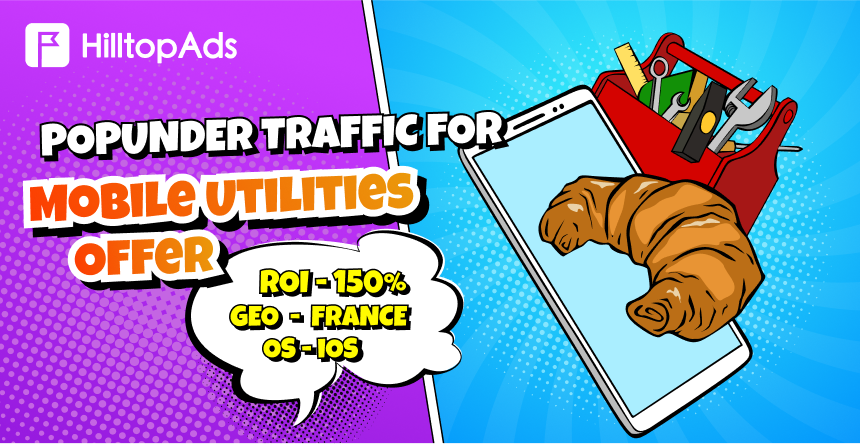
Read the successful case of our advertiser who works with mobile traffic:
Conclusion
The nature of mobile traffic is different since people use their phones differently from desktops. Browsing sessions are shorter here, and actions are performed much faster. Users interact through taps and scrolling, and they may move from one device to another before converting. Thus, it would be wrong to develop a mobile ad campaign based on the same strategy as a regular desktop one.
The essential elements of an effective mobile campaign include speed, clarity, vertical design, realistic attribution, and continuous testing. The visuals must be clear. Landing pages must load fast. The offer itself should immediately be visible to a user. As for tracking, it must provide data beyond CTR. It is essential to pick the right traffic source as well.
To succeed, advertisers need mobile-friendly formats, reliable volume, precise targeting, and tools that help in identifying what sources should be scaled. HilltopAds is a platform that brings these elements together. Mobile traffic, popunder ads, In-Page Push, advanced targeting, and automatic optimization features are all covered by this network.