


Learn how to set up, test, optimize, and scale banner campaigns in HilltopAds with the right creatives, targeting, tracking, pricing model, filters, and zone-level optimization.
Banner ads are often treated as an “old” display format. In reality, they are still a powerful performance tool – especially when advertisers use them with proper tracking, fresh creatives, clean targeting, and zone-level optimization.
The biggest strength of banner traffic is the combination of high volume and affordable pricing. Banners can help advertisers reach a broad audience, test different user intents, and drive direct-response actions: registrations, installs, deposits, purchases, leads, and other conversions.
But banner campaigns are not “upload one image and wait.” This format needs active work. You have to rotate creatives, analyze post-click quality, test traffic segments, and optimize based on real conversions, not just clicks.
Launch banner ads on HilltopAds today
and get access to high-quality traffic from 250+ countries.

Mike
Sales Advertising Manager at HilltopAds
Banner traffic can give you a lot of volume at a relatively low price, but it also requires time. You need to rotate creatives, test new angles, and optimize the campaign regularly.
In this guide, we’ll walk through how to optimize banner campaigns in HilltopAds – from launch preparation and campaign settings to creative testing, Auto Optimization, manual analysis, and scaling.
Why Banner Ads Still Work in Performance Marketing
Banner ads work because they are simple, visual, and scalable. A user sees the message directly on the website page, so the creative has only a few seconds to catch attention and explain the offer.
That is why banners are especially effective for offers with a clear and easy-to-understand value proposition. They can work well for iGaming ads, betting, dating, games, mobile apps, utilities, e-commerce, pin-submit, streaming, entertainment, and many other verticals that HilltopAds advertisers usually run.
The key point is that banners are not only for brand awareness. When the campaign is set up correctly, banners can support real performance goals – from registrations and installs to deposits and sales.
We recently prepared a separate case study where you can see how banner traffic works in practice: with real campaign logic, settings, optimization steps, and results.
Read the full banner campaign case study here:

In this article, we’ll focus not on the case itself, but on the optimization framework behind a strong banner campaign.
Before Launch: Prepare the Offer, Funnel, and Tracking
Before you even start setting up a campaign in your dashboard, make sure your offer, funnel, and tracking are ready.
If the offer is confusing, the landing page does not match the ad, or tracking is not configured correctly from the start, it will be hard to get strong results even with quality traffic.
Make the offer clear from the first contact
A banner has limited space. It cannot explain a complicated product, educate the user, and sell the offer all at once. The message should be simple enough to understand immedia
What is the offer?
For example: an app, a bonus, a product, a service, a game, a registration, or access to content.
Why should the user care?
The banner should highlight one main benefit, such as a bonus, discount, speed, simplicity, entertainment, exclusivity, or convenience.
What should the user do next?
The CTA should be direct and easy to understand: install, join, register, play, claim, watch, try, or buy.
The landing page should continue the same idea. If the banner promises a bonus, the landing page should show the bonus immediately. If the creative focuses on “fast access”, the page should not start with a long form or confusing instructions.
This message match is one of the most important parts of banner optimization. If the banner and landing page feel disconnected, you may get clicks but lose conversions.
Mike
Sales Advertising Manager at HilltopAds
Pay attention to the creative itself. It should be unique and relevant to the funnel. If the banner looks generic or promises something different from the landing page, the traffic quality will suffer.
Register with the best ad network for advertisers HilltopAds
Set up tracking before launch
Tracking is not something to fix later. It should be ready before the campaign starts receiving traffic.
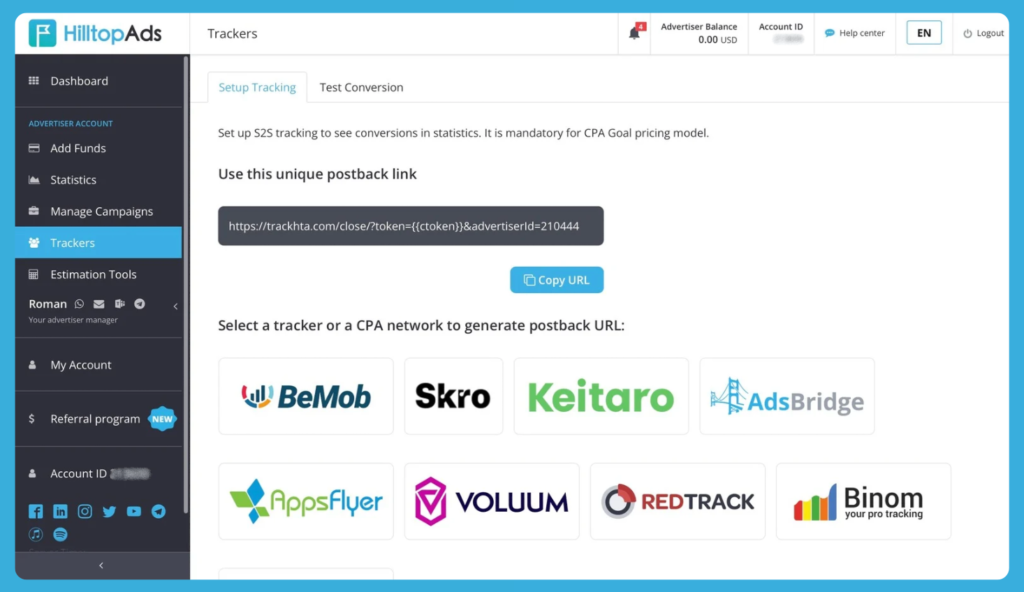
For proper optimization, connect Postback and make sure that the final campaign URL passes the click ID / ctoken. This allows you to see which zones, creatives, and segments bring real conversions.
Depending on the offer, you can track the main conversion and additional micro-conversions: registration, install, lead submit, deposit, purchase, subscription, trial start, or another meaningful action.
This is especially important for banner campaigns because CTR alone can be misleading. A zone may generate many clicks but no valuable actions. Another zone may bring fewer clicks but better users and stronger final conversion quality.
Mike
Sales Advertising Manager at HilltopAds
Do not optimize banner campaigns only by CTR. Try to look at the main conversion. CTR shows that the creative gets attention, but it does not prove that the campaign is profitable.
Creating a Banner Campaign in HilltopAds
To create a banner campaign, go to Manage Campaigns → Add Campaign in your HilltopAds advertiser account.
From there, the main goal is not just to fill in the fields, but to build a clean test. Every setting should help you understand what works: the format, traffic type, targeting, creative, pricing model, and optimization rules.
Choose Banner Mobile or Banner Desktop
In the Ad format field, choose either Banner Mobile or Banner Desktop.
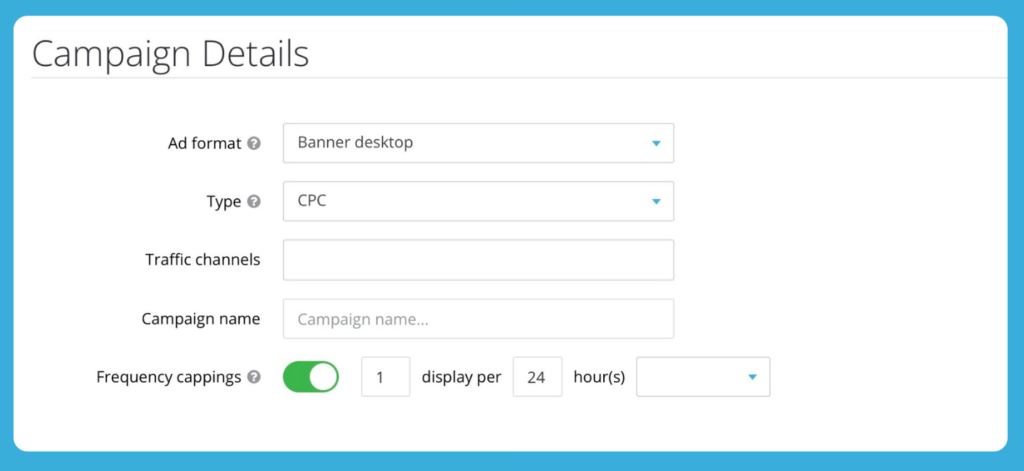
Choose Banner Mobile when the offer is built for mobile users: apps, mobile games, mobile subscriptions, utilities, pin-submit, betting apps, mobile-first registration pages, or any funnel where the main action happens on a smartphone.
Choose Banner Desktop when the offer performs better on a larger screen or requires more time and attention. This can be relevant for some e-commerce, entertainment, gaming, streaming, finance-related, or more detailed registration flows.
The most important rule is to separate mobile and desktop tests. Even if the same offer supports both devices, user behavior will be different. Mobile and desktop traffic may have different CTR, conversion rate, landing page behavior, and final value. If you mix them too early, it becomes harder to understand what exactly is working.
Read our article on how experienced advertisers determine high-quality traffic:

Select the Pricing Model: CPC or CPM
In the Type field, you can choose the pricing model for your banner campaign.
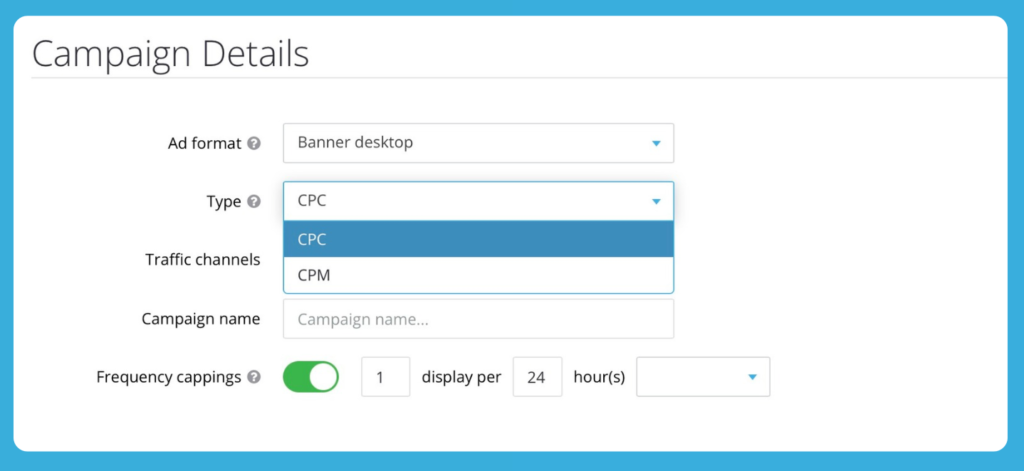
HilltopAds supports both CPC and CPM for banner campaigns. CPM for banners is a platform update that gives advertisers more flexibility in how they buy, test, and scale banner traffic.
There is no universal “best” option here – the right model depends on your campaign goal. CPC is useful when you want to pay for clicks and analyze post-click performance more directly. CPM can work well when your focus is reach, visibility, creative testing at scale, or repeated exposure on already proven placements.
Whichever model you choose, the campaign should still be optimized by real performance: how users behave after the impression or click, and whether the traffic brings valuable actions for your offer.

Register with HilltopAds and get:
- Advanced targeting options
- Direct traffic sources
- Self-serve platform
- Fully-managed service
- Postback tracking
Choose the Right Traffic Channel
In HilltopAds, traffic channels help you choose the environment where your banners will be shown. The basic logic is simple: choose Mainstream for offers without 18+ positioning, and Non-Mainstream for 18+ offers.
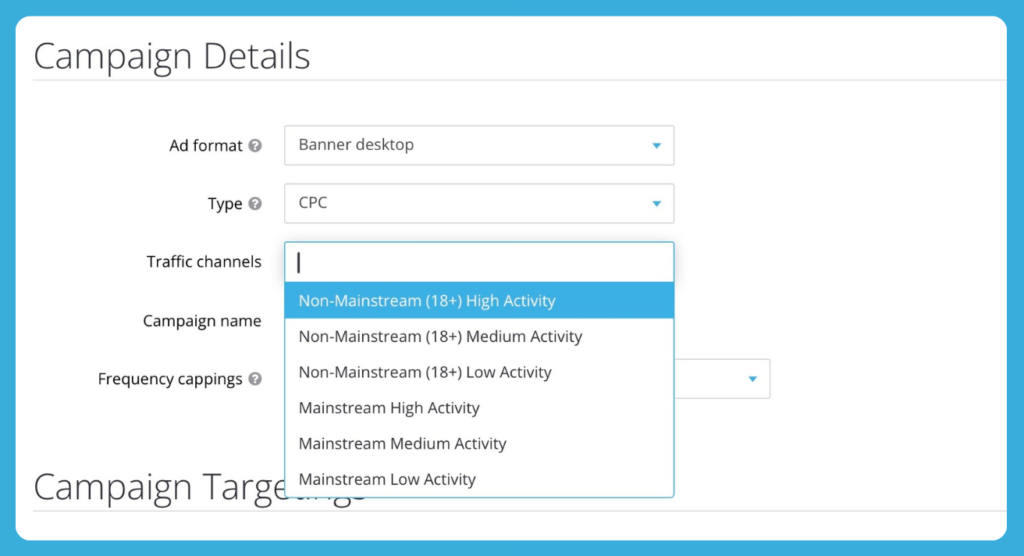
When you run your first test, you should start with enough volume to get useful data. High and Medium activity traffic are usually good for this. If you want to be more careful, you can start with just high activity traffic and then expand once the performance looks stable.
It is better not to mix too many different traffic types in one test. Mainstream and Non-mainstream traffic act differently, and combining them often makes your statistics hard to understand. The same logic applies to activity levels. If you want clear results that you can actually use to improve things, make sure your test setup lets you see exactly where the performance is coming from.
Mike
Sales Advertising Manager at HilltopAds
Start with broad targeting. Don’t limit the campaign too much at the beginning. First, collect enough data. Then optimize.
Set Frequency Capping to Control Fatigue
After choosing the ad format, pricing model, and traffic channel, set the frequency capping for your campaign. In HilltopAds, this setting controls how often the same user sees your banner within a selected time period.
Frequency capping is important because banner ads can burn out quickly. If the same user sees the same creative too many times, they may stop reacting to it. But if the frequency is too low, the campaign may not collect enough data or may miss useful repeated exposure.
There is no single perfect frequency for every offer, but these starting points can help:
Conservative test: 1 impression per 6–12 hours.
Standard controlled test: 1 impression per 24 hours.
More aggressive high-volume test: 3 impressions per 8 hours.
Frequency capping should also be connected with creative rotation. If you show banners more often, make sure the campaign has enough creatives so users do not see the same message again and again.
Also read our article about alternatives to the JuicyAds advertising network:
Build Targeting That Gives You Clean Data
Once the basic campaign details are set, move to targeting. This is where many advertisers go too narrow too early. They try to control everything from the start, but as a result, the campaign does not get enough volume to show patterns.
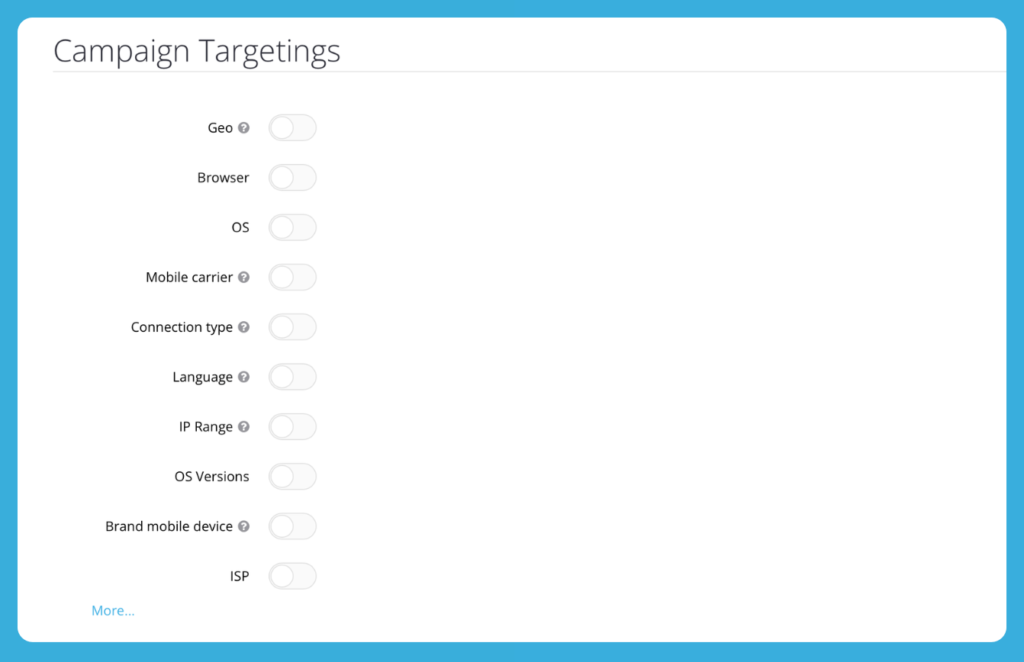
For the first test, keep the setup clean:
Start with one GEO or a group of similar GEOs
Do not mix completely different markets in one campaign if you want to understand performance. A Tier-1 GEO and a Tier-3 GEO can have different CPC, conversion rate, user behavior, and payout logic.
Make sure the language of the banner and landing page matches the audience
If the offer is local, the whole funnel should feel local: creative, pre-lander, landing page, currency, CTA, and main message.
Separate mobile and desktop logic
If you run mobile banners, it may also make sense to test Android and iOS separately when the offer depends on the operating system, app availability, carrier flow, or payment method.
Use additional targeting options carefully
You can also use additional targeting options such as Browser, OS, Device type, Connection Type, Carrier, ISP, Language, and other available settings. But do not turn all of them on at once just because they exist. First, collect enough data. Then narrow the campaign based on real performance.
A good first test is broad enough to get traffic, but structured enough to explain the result.
Use Proxy and WebView Filters Intentionally
The Campaign Filters block lets you control Proxy and WebView traffic.
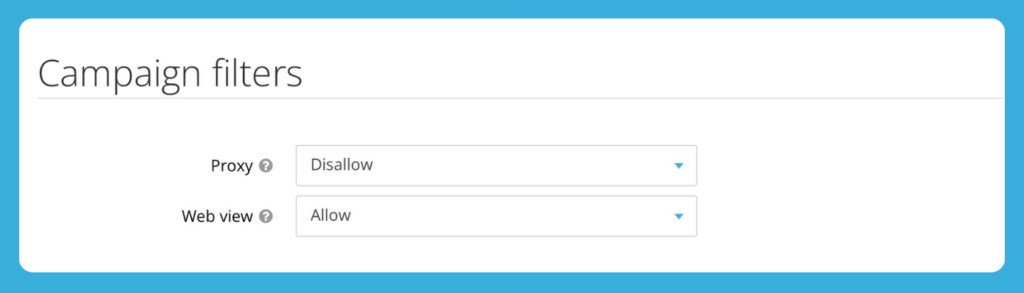
Proxy and WebView settings can strongly affect traffic quality, so it is better to treat them as separate testing variables.
For offers where GEO accuracy, account quality, or fraud sensitivity matters – for example betting, finance-related funnels, strict registration flows, or offers with high quality requirements – a cleaner first test often starts with Proxy: Disallow.
WebView traffic can also behave differently from regular browser traffic, especially on mobile. For a conservative launch, advertisers can disable it at the start and test it later in a separate campaign.
For example, an iGaming or betting test can start with:
Proxy: Disallow
WebView: Disallow
Later, you can create a separate Proxy or WebView test and compare the results without mixing signals in one campaign.
Upload Creatives That Can Actually Compete
Creative quality is one of the biggest success factors in banner advertising. Targeting and optimization help, but they cannot fully save a weak banner.
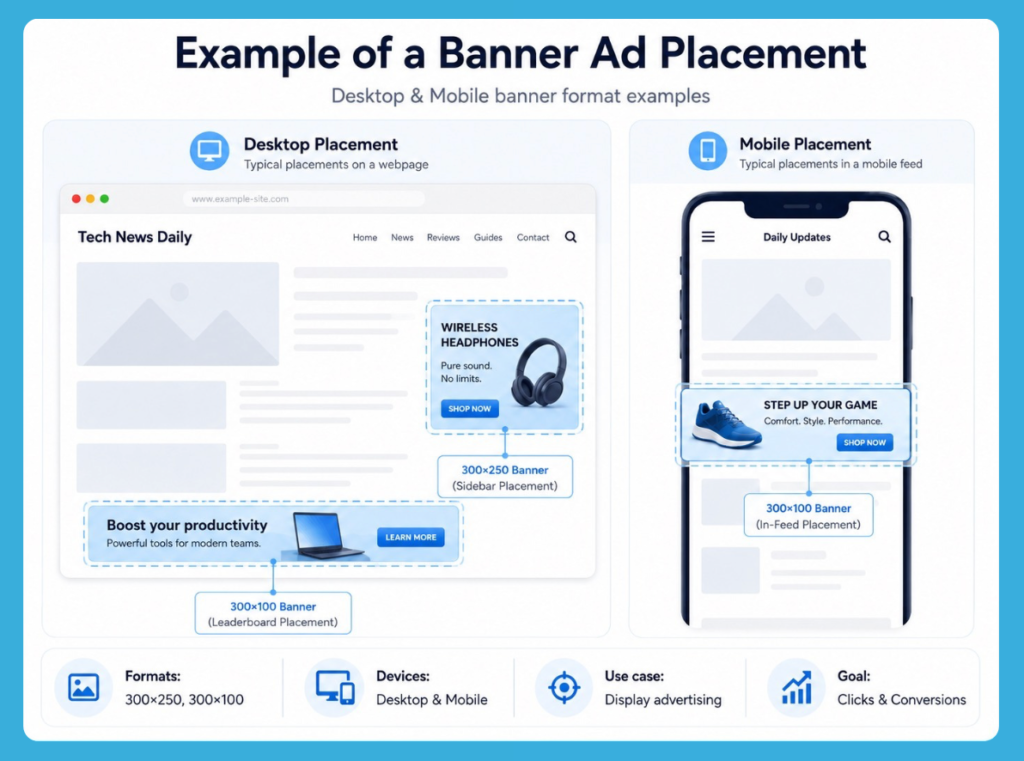
In the Creative uploads section, you can upload banner images. For this format, HilltopAds supports common banner sizes such as 300×250 and 300×100, with JPG, PNG, and GIF file formats.
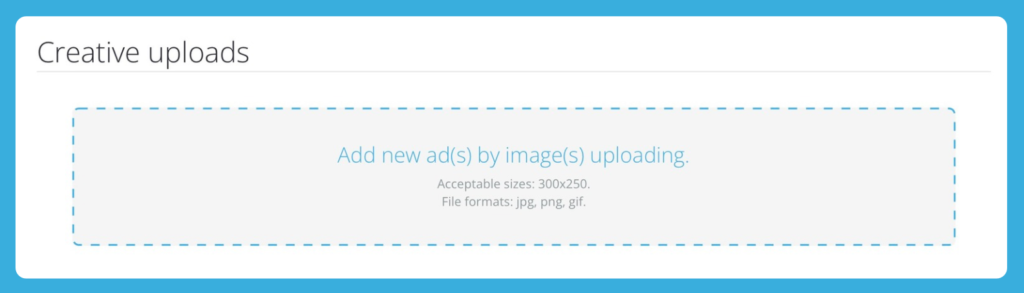
A strong banner should be easy to understand within one second. It needs a clear CTA, readable text, simple visual hierarchy, and one strong message. The user should not have to “study” the banner to understand what is being offered.
For the first test, do not launch with one or two creatives. Start with at least five. More importantly, test different angles, not just different colors.
Mike
Sales Advertising Manager at HilltopAds
Launch with at least five creatives. During the whole campaign period, keep adding new creatives, leave the best-converting ones, and refresh the pool at least once a week.
A good creative test can compare different motivations: bonus, speed, trust, simplicity, urgency, entertainment, exclusivity, or price. For example, one banner may focus on a welcome bonus, another on fast registration, another on instant access, and another on a limited-time offer.
The goal is not to find the prettiest banner. The goal is to find the creative angle that brings users who actually convert.

Creative rotation is especially important for banner traffic. Because the format gives large volumes, users can get tired of the same visual quickly. Keep adding new creatives during the campaign, compare them with current winners, and leave the versions that bring the best conversion quality.
Control Budget, Limits, and Schedule
Campaign limits help you control spend while the test is collecting data. This is especially important at the beginning, when you do not yet know which zones, creatives, or segments will perform best.
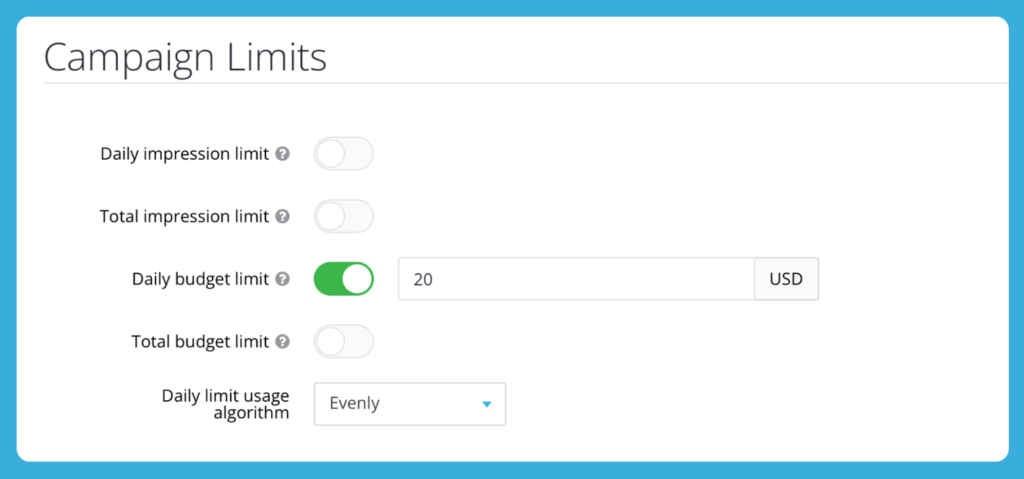
A daily budget limit can protect the test from spending too much before you have enough data. For a small controlled test, advertisers may start with a daily budget such as $20/day, depending on GEO, CPC or CPM level, payout, expected traffic volume, and conversion goal.
The budget should not be too small. If the campaign receives too little traffic, you will not be able to make reliable decisions.
Impression limits can also be useful when you want to control delivery more carefully. Just avoid setting them too low, because zones need enough impressions and clicks before you can judge their quality.
The schedule can stay 24/7 at the beginning unless you already know the best hours for the offer. After enough data is collected, you can adjust the schedule and reduce spend during weak periods. For example, some iGaming, betting, streaming, or entertainment offers may perform better during evenings, weekends, or event-driven peaks.
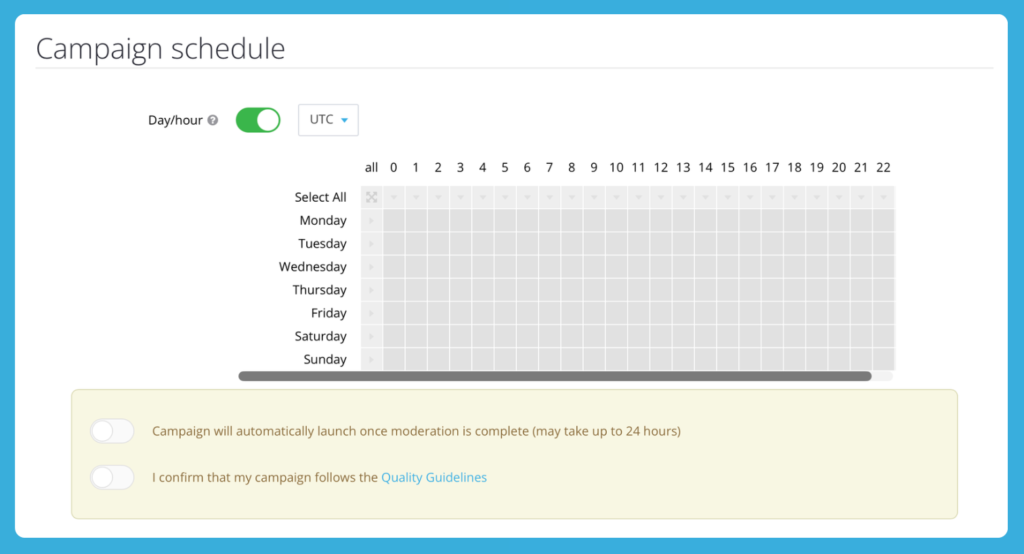
Before submitting the campaign, confirm that it follows HilltopAds Quality Guidelines. The campaign will launch after moderation is complete.
Use Auto Optimization to Cut Wasted Spend
Banner performance depends heavily on placement quality. One zone may bring cheap clicks but no conversions. Another may bring fewer clicks but much better users. That is why zone-level optimization is essential.
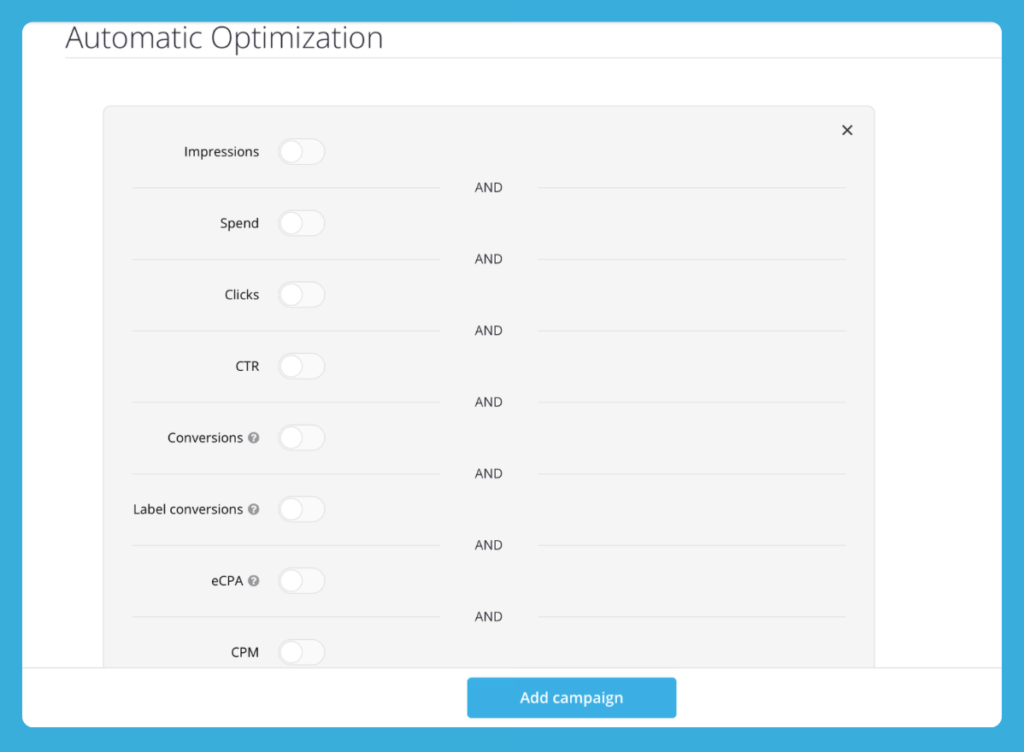
Auto Optimization helps you reduce manual work by applying rules to underperforming zones. This is especially useful when the campaign has enough volume and you do not want to review every placement manually all the time.
The main metrics to watch are not only clicks and CTR, but also conversions, CR, eCPA, and spend by zone. If Postback is configured, you can optimize much more accurately because the platform receives conversion data from your tracker or affiliate network.
Here are two practical rule examples.
Example 1: Cut zones with enough impressions but no conversions
- Period: 24 hours;
- Impressions: more than 1,500;
- Conversions: less than 1;
- Action: add zone to BlackList.
This rule helps remove zones that received enough visibility but did not bring the target action.
Example 2: Cut zones with high spend and poor eCPA
- Period: 24 hours;
- Spend: higher than your target test spend per zone;
- eCPA: higher than your target eCPA;
- Action: add zone to BlackList.
This rule works better when you already understand your target economics. For example, if a zone spends more than you are ready to test and still does not reach acceptable eCPA, it can be excluded automatically.
Do not cut zones too early. A few clicks are not enough to make a decision, especially for offers with deeper conversions such as deposits, purchases, subscriptions, or paid registrations. Set your thresholds before the test and give the campaign enough data.
Combine Auto Optimization with Manual Analysis
Auto Optimization is helpful, but it should not replace manual review. The best results usually come from a combination of automatic rules and human analysis.
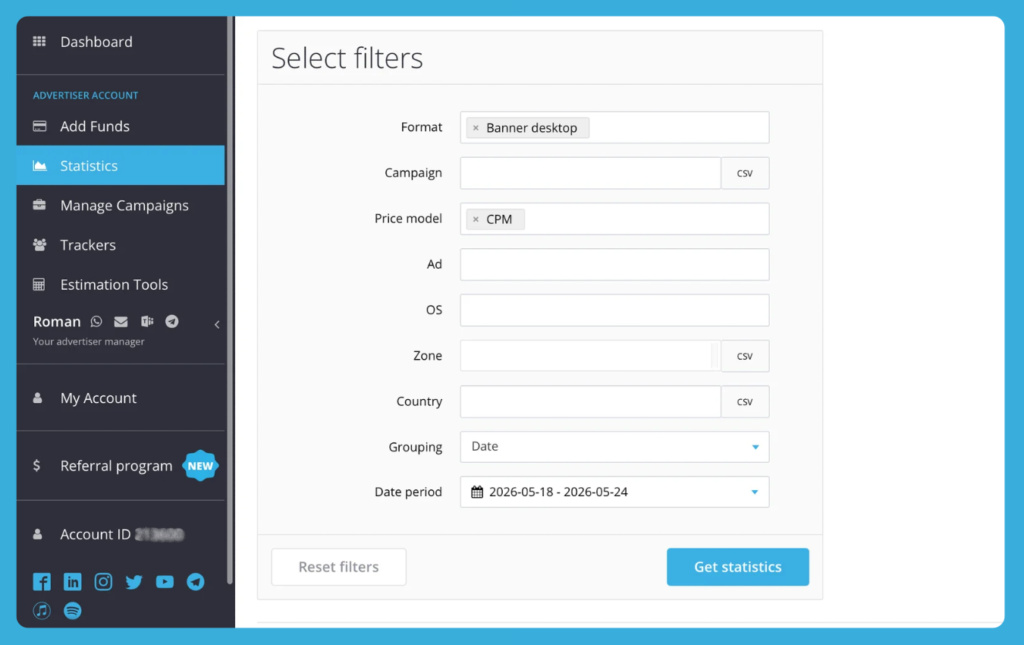
During the first 24 hours, focus on technical checks. Make sure the campaign is delivering traffic, clicks are tracked correctly, Postback works, and conversions appear in statistics. At this stage, do not make aggressive conclusions about ROI too early.
Once the campaign has enough data, compare performance across the main dimensions: audience, device, browser/OS logic, zones, creatives, and time periods. You do not need to overcomplicate the analysis, but you should look for clear patterns.
For example:
If your CTR is high but users are not converting, it usually means the banner is catching attention, but the landing page is not what they expected or the user intent is not strong enough.
A low CTR is not always a bad sign. If conversion quality is high, it may mean that the banner is filtering users better and attracting a more relevant audience.
If a certain zone or segment spends a lot without bringing conversions, it should be reviewed and possibly blacklisted.
On the other hand, zones that bring steady conversions can become the base for a separate whitelist campaign.
Mike
Sales Advertising Manager at HilltopAds
The main conversion should guide optimization. A creative with the best CTR is not always the best creative for profit.
When you optimize manually, avoid changing everything at once. If you adjust targeting, creatives, bids, filters, limits, and schedule at the same time, you will not understand what actually affected the result. Change one major element, wait for data, then continue.
Keep Refreshing Creatives During the Campaign
You should keep your ads fresh throughout a campaign because how often you rotate them has a big impact on your results. Since banner ads often get a lot of traffic, even the most effective designs can start to wear out over time.
It is better not to wait until your performance completely drops off to make changes. Instead, try adding new creatives while the campaign is still running and compare them to your current winners. Don’t rush to remove your best ads, though. Use them as a benchmark to see if your new variations can actually do better.
A simple way to handle this is to update your ad pool about once a week. You don’t need to replace everything every time. Just bring in some new banners, get rid of the ones that aren’t performing, and stick with the versions that bring in the most conversions.
You can scale a winning angle in several ways:
- test a new CTA;
- change the visual hook;
- adjust the main benefit;
- create a localized version;
- try a GIF instead of a static image;
- create a more urgent or more trust-focused version.
Here, the important listing is not technical – it is strategic. You are not just “making more banners.” You are building more ways to communicate the same offer to different user motivations.
Check out the successful cases of our advertisers on launching banner ads:

Scale Banner Campaigns Without Breaking What Works
Scaling should be gradual. If a banner campaign starts performing well, do not change too many settings at once. Keep the winning logic and expand step by step.
You can scale by zones by moving converting placements into a whitelist campaign and giving them more budget. You can scale by GEO by testing similar markets, but make sure the banner text, landing page, currency, bonus message, and timing match the new audience. You can also scale by creative by taking the winning angle and creating new variations instead of switching to a completely different message.
Another option is a multi-format strategy. Banner ads may work even better when they support another format, such as Popunder, on the same or similar sources. In this case, banners can work as an additional retention touchpoint and help bring users back to the funnel.
Mike
Sales Advertising Manager at HilltopAds
Banner ads can work even better when the same offer is also shown through another format, for example Popunder. In this case, the banner can support retention and repeated exposure.
The main rule is simple: scale one direction at a time and keep tracking the main conversion.
Final Thoughts
Banner campaigns can become a strong performance tool when advertisers treat them as an active testing format, not just a display placement. The best results come from clean tracking, broad enough testing, regular creative rotation, smart use of CPC or CPM, and optimization based on real conversions – not only CTR.
With HilltopAds, advertisers can launch banner campaigns, test different traffic segments, use Auto Optimization, manage zones, and scale the combinations that already show strong performance.
Ready to test banner traffic for your offer? Sign up or log in to your HilltopAds advertiser account, create a Banner campaign, and start optimizing your traffic today.