


Clicks and page views only tell part of the story. If you want to understand why users convert–or why they don’t—event tracking gives you the insights that standard analytics often miss.

Every user visit to a webpage is a complex phenomenon, involving multiple simple actions. These include such groups of events as:
- Authentication (sign-ups, log-outs)
- Interactions (clicks, scroll depth)
- Conversions (form submissions, downloads)
- Technical performance (page load times, layout shifts)
You might have seen these categories labeled differently, which is not all that important. What we’re trying to convey here is that every user leaves a digital footprint that can yield far more data than simple page-view analytics.
And with the right approach, i.e., with proper event tracking, you can tap into such kind of data and put it to good use. One obvious example is precise targeting and retargeting, but there are more use cases. If you want to turn vague traffic numbers into clear signals about quality and funnel health, this article is for you.
Turn event data into better campaign performance
Drive higher-quality traffic, optimize your funnels, and scale campaigns with HilltopAds performance advertising solutions.
What Is Event Tracking
Event tracking is the process of capturing specific user actions as timestamped records within a particular context. In layman’s terms, it’s like being a detective looking for clues: not all the info is equally useful, but with the right data, you can bring a whole case to light that you can rely on to make decisions and relate to in future planning.
Each event logs the nature of an action, its timestamp and extra details: traffic source, device, or referrer. It can be compared to page views, but event tracking is just deeper and more insightful.
Page views indicate that someone loaded a URL, which can sometimes lead to inadequate conclusions. For example, a misclicking user and a user who engaged with your video for 10 minutes are treated the same. But even if they both bounced out, retargeting the former is not worth it, whereas retargeting the latter might lead to an actual conversion.
Page views tend to bloat the data, while event tracking taps into the volume and pinpoints what’s worth looking at. Moreover, it helps to discover prospects that might seem as a bouncers, but in reality spent some time engaging with the content on your website.
| Criteria | Page views | Event tracking |
| Object of tracking | Page load or screen view | Smaller user actions, like downloads |
| Purpose | To measure the volume of traffic | To understand behavioral patterns and the level of engagement |
| Depth of insight | Shows when users visited and how many of them | Indicates what the users were doing during their visit |
| Marketing value | Can be used for traffic analysis | Useful for campaign optimization and conversion analysis |
| Usefulness in conversion funnels | Very limited visibility into the funnel | Tracks every stage of the marketing funnel |
| Potential for optimization | Can identify areas with high traffic volume, and that’s it | Big, because you can figure out recurring deposits, highrollers, and simply highly engaged users |
| Examples | Homepage, Product page views | Checkouts, purchases, registrations |
Also read our article on how to use auto-optimization features for 200%:
There are many events to track, so we’re allocating a dedicated section for some of the most popular.
Interaction events
Whenever users click something on your page or in your app, they create an interaction event. Below are some of the most common and most useful for tracking.
Clicks. It goes beyond a conversion; you can track clicks to create a heatmap. Things like buttons, links, images, videos, and all the interactive elements imaginable fall into this group.
Scroll depth. Even a single page view can be different: a brief glance, a quick scroll to the very bottom, an unfinished scroll halfway, or a complete journey to the end without rushing.
Video engagement. This category stands out because each video can provide tons of data on its own, including plays, pauses, watch time, completions, etc.
Miscellaneous events. Things like form submissions, downloads, and search queries are all here.
Engagement events
These events are similar to the “Interaction” ones, but with an extra focus on metrics.
Time on page. A single page visit can differ not only in scrolling depth but also in time spent. Together, these two types of events give a complete picture of what’s going on.
Session repeats. Some purchases take time before the fruit is ripe. If the user keeps coming back, it means they’re interested, so they are great candidates for retargeting.
Social media shares. Pretty basic and straightforward, but still very solid events for tracking: each posting screams out the intent.
Commentaries. Leaving a commentary takes time and effort, i.e., investing; if there’s one, chances are that person can be your next client.
Email opens. That’s a great way to track the efficiency of your newslettering: things like topics, headings, and other stats that can shape your angles and approaches.
Technical events
If you’ve ever used PageSpeed Insights, then you already know some of these events. Most of them are somewhat negative, i.e., when such events occur, you need to fix them (not all of them, though).
Page load times. If it’s more than 3 seconds (especially on mobile), you need to optimize your page to minimize the risk of bouncing.
JavaScript errors. No JavaScript elements mean no engagement, error messages, and black spaces. Whatever the cause, nobody wants that to happen.
Network activity. It’s all about the requests and responses on a global scale to make sure your site is up and running.
eComm and conversion events
A special group of events, dedicated to eCommerce in particular. But there are other conversion-related activities too.
Purchases. Details on how many products are bought, as well as which ones.
Add-to-cart. Not exactly a conversion, but a good substitute to see what gets stored. Even if users won’t buy the added goods, they added them for a reason. You might have a very good creative on your hands, or there might be some misalignment between your ad and the actual product.
Product views. This one is close to the page views, mentioned earlier. Still, we should mention this to highlight that event tracking does the same job, only better.
Checkout abandonment. This one is crucial if you want to identify the turn-offs in your funnel to maximize the value of each user who clicks.

Use HilltopAds to combine event tracking with
- Advanced targeting
- Postback tracking
- Direct traffic sources
- Self-serve platform
- Fully managed service
There are even more events you can track, but with so many, it’s best to prioritize. Here are some of the most common events to track as an advertiser:
- Product View
- Add to Cart
- Form Submission
- Video Play or Completion
- Registration/Sign-up
- Checkout Start
- Purchase
All these events can serve as micro- and macro-conversions, giving you the full picture of the customer journey.

Mike
Sales Advertising Manager at HilltopAds
The most useful micro-conversions depend on your specific goals and what you need to measure. Focus on the events that provide the information required to evaluate your campaigns and make optimization decisions.
Why Event Tracking Matters for Campaign Optimization
When compared against CPC (Cost Per Click), page views, or even CTR (Click-Through Rate), event tracking can give more info, but the most important part is that the info is credible and actionable. Remember the example above that the bounced user still counts as a page visit.
CTR and CPC look good on paper but often hide poor-quality traffic. Users click, land, and leave without engaging. Event tracking closes that gap thanks to its inherent advantages:
Improved attribution
All thanks to the events linked back to specific ads or networks via UTM parameters or server-side data.
Optimization on high-intent signals
Not exactly an attribute of event tracking, but it does enable you to focus on indicators that tend to drive purchases and conversions with your bids and creatives.
Spotting weak funnel stages
Tracking events is not only about capitalizing on what converts right away, but it can also highlight the performance gaps and help you fill them in. Think about it: a user who leaves after watching a video on your landing page is not the same as a user who leaves after the page has just opened.
Reducing wasted spend
Thanks to event tracking, you turn off sources that tend to drain your budget without returning any conversions.
Take a typical funnel: Click → Product View → Add to Cart → Checkout → Purchase.
If you observe lots of views but few cart adds, then chances are there’s a mismatch between your audience or landing page and the offer. If the checkouts are at an all-time high but there are no completions, the problem might be a slow payment flow, unexpected costs, or a lack of trust.
Furthermore, you can detect which traffic sources deliver more clicks, all thanks to event tracking.
Read our latest article on the best alternatives to the Onclicka ad network:
How to Analyze and Optimize Campaigns Using Event Data
The most important thing about event tracking is to look at event sequences. When it comes to isolated metrics, they might mislead you and turn your campaign optimization into campaign disruption. Compare sources by how users progress through the entire path:
- Lots of product views but few add-to-carts. A typical case when you need to audit traffic quality, creative relevance, landing page speed, and message match.
- Users start checkout but abandon. Examine form friction, payment options, or mobile experience.
- Source A drives more full purchases than Source B at the same CPC. A somewhat simple discovery, where you need to redirect funds to source A. However, keep in mind that this finding was made thanks to event tracking.
Analyze the full journey because early engagement without progression signals a mismatch, while steady movement indicates strong traffic. Use this to adjust bids, refine targeting, rewrite creatives, or fix site issues. The result is better ROAS and more efficient budget allocation.
Mike
Sales Advertising Manager at HilltopAds
When setting up event tracking, send only the events that determine whether a campaign is successful or profitable. In CPA campaigns, make sure those events are passed with the correct value. It’s also better to limit tracking to two or three key events instead of trying to measure everything.
Register with the best ad network for advertisers HilltopAds
Common Mistakes When Using Event Tracking
Event tracking is a powerful approach for user behavior analysis, campaign optimization, and keeping the conversion funnel up to date. However, at the end of the day, it’s just a tool that can be used either incorrectly or inefficiently.
| Mistake | Impact | How to fix it |
| Optimizing for the wrong event | Campaigns attract users who are unlikely to convert | Choose the deepest meaningful event with sufficient data volume |
| Making decisions too early | Budgets are shifted based on unreliable data | Wait until enough event data has been accumulated |
| Evaluating events in isolation | Funnel bottlenecks remain unnoticed | Analyze the complete user journey instead of individual events |
| Prioritizing event volume over quality | High engagement doesn’t translate into tangible results | Measure campaigns using events tied to conversions or revenue |
| Tracking every possible interaction | Reports become noisy and harder to interpret | Track only the events that support the original goal |
Mike
Sales Advertising Manager at HilltopAds
In CPA campaigns, tracking problems often come from incorrect postback configuration. One common mistake is sending payout values for events that should have a zero value. Another is failing to pass an additional macro that labels different event types, causing all events to be recorded together instead of being separated.
Summing things up, here are a few key takeaways that you should apply whenever opting for event tracking, whether working with or without an ad network:
Track only significant events
Every extra one adds complexity without value. You’ll have a lot of work going through meaningful data; no need to make it harder. Stick to actions that advance users toward revenue.
Analyze a sufficient volume before acting
When flipping a coin, in the vast majority of cases, you get either a head or a tail. But if you flip any coin only once, it doesn’t mean you get heads or tails 100% of the time. You need to repeat the test several times to achieve statistical significance. Do keep in mind that small numbers can be misleading, so run the tests long enough. And if you’re not sure how “long enough” it should be, use online calculators for statistical significance.
Regularly check event accuracy
Use testing tools and verify end-to-end flows monthly to avoid situations where one variable dwarfs the other one, only because attribution doesn’t function properly.
Compare campaigns on conversion quality
A lower-CTR source that delivers more purchases often beats one with vanity clicks. And while you might be running prospecting campaigns, they are always followed by the ones aimed at conversions. Keep in mind that volume is no longer dominant.
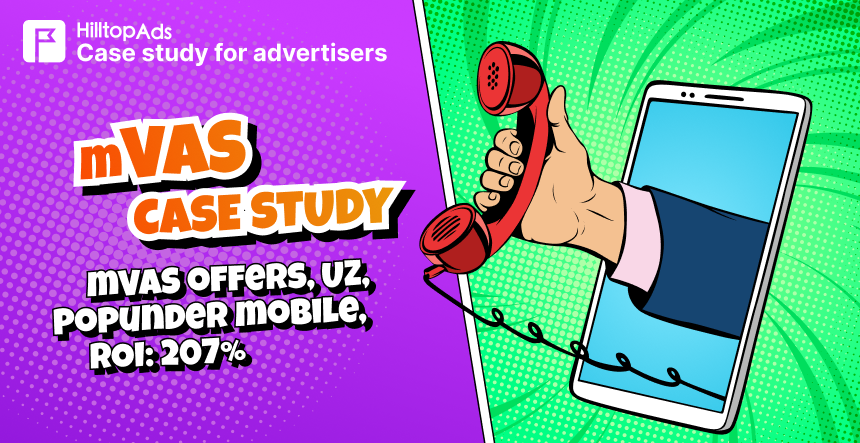
We recommend checking out the success stories of our advertisers:

Conclusion
By no means is event tracking a silver bullet – no. But, metaphorically speaking, it can be your Gatling gun. You can spray-and-pray with it or focus-fire on what matters most.
Event tracking delivers value only when it leads to real decisions. Tie your events to actual business outcomes, like sales, qualified leads, and revenue; don’t forget to review them regularly.
Funnels tend to evolve, and what worked last month may fail now. During testing, make sure your data is sufficient to draw conclusions. Scale winners, fix leaks, and cut losers, but only when your data is solid. Otherwise, it’s a waste of time.
If you need any assistance, you can always contact HilltopAds, your trusted ad network in performance marketing. We know where to look for profit and can help you set things up the right way to maximize your chances of converting big spenders.