


PIN Submit traffic can look promising and still fail to convert because of one wrong carrier, connection type, or funnel step. This guide shows where campaigns usually lose conversions and how to find the segments worth scaling.
A PIN Submit campaign can change dramatically because of one small detail. The same offer may convert differently depending on the mobile carrier, connection type, or the number of steps a user has to complete before subscribing. Therefore, advertisers need to pay special attention to segment-level tracking and testing.
In this guide, you will learn how to promote PIN Submit offers from the first campaign setup to optimization and scaling.
Ready to test your PIN Submit offers?
Join HilltopAds and reach the right mobile audience.
What Are PIN Submit Offers and How Do They Work
PIN Submit offers are offers where users subscribe to content or a service using their phone number. Payment is usually handled through carrier billing, so the charge can be added to the user’s mobile bill or deducted from their prepaid balance instead of requiring a bank card.
The model is commonly used for mobile games, entertainment content, streaming services, utilities, news, sports content, and other subscription-based products. A typical user flow looks like this:
- The user sees an ad and clicks it.
- They arrive on the offer page.
- They enter their phone number.
- A PIN code is sent by SMS.
- The user enters the PIN to confirm the subscription.
Depending on the offer, the actual number of steps may vary.
Read also the article about the difference between cheap and efficient traffic:
What to Consider Before Promoting PIN Submit Offers
The first thing to understand is that PIN Submit depends heavily on the mobile operator. An offer may be available in a particular country but work only with selected carriers. Sending traffic from unsupported operators can therefore produce clicks without giving those users a realistic chance to complete the subscription.
The subscription process can also vary significantly from one offer to another. Some carrier-billing flows can identify the phone number automatically and require fewer actions. Others ask the user to send an SMS or manually return to the page and enter a code. What media buyers need to note is that each additional action gives the user another opportunity to leave the funnel without converting.
Connection type is another factor to consider. In some carrier-billing flows, it may be easier to recognize a subscriber when the user is connected through the operator’s mobile network. On Wi-Fi, the same user may come across a different flow or have to enter their phone number manually.
Note that what works with one carrier in one country may fall apart in another market. Carrier coverage, billing rules, subscription prices, and confirmation steps can all change from one GEO to the next.
Keeping these specifics in mind, you can move on to selecting traffic sources and setting up your campaign. A detailed guide on that process follows below.
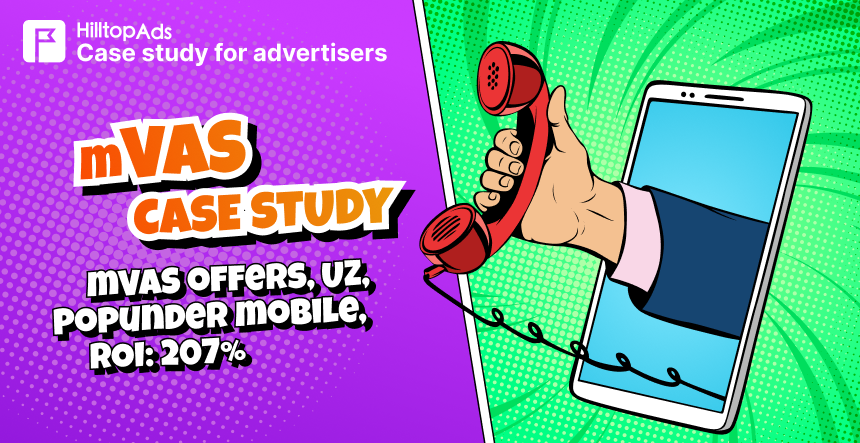
Read also the successful case of our advertiser to promote the pin submit offer:
How to Promote PIN Submit Offers Step by Step
Experienced media buyers build PIN Submit campaigns around the offer restrictions first and then refine them with performance data. The first test usually stays focused enough to keep the traffic relevant, but broad enough to collect a useful amount of data.
Choose a Suitable Traffic Source
Getting clicks is only part of the task with PIN Submit. You also need to know where those clicks come from and be able to separate the segments that can affect the subscription flow.
For PIN Submit, an ad network should give you enough control over the segments that can affect the subscription flow. HilltopAds, for example, supports targeting by GEO, device, OS, mobile carrier, and connection type, so these variables do not have to be mixed into one campaign. The platform also offers several placement and format options that media buyers can test depending on the offer and funnel, including:
- Mobile placements. These are normally the starting point because the conversion itself depends on the user’s phone and carrier.
- Pop traffic. Can be useful when the goal is to collect volume quickly and test a landing or pre-landing funnel.
- In-Page ads and banners. Another option when the offer needs a more visible creative before the user enters the subscription flow.
Register with the best ad network for advertisers HilltopAds
Set Up Targeting
Before launching an ad campaign, ensure that its settings correspond to the offer terms. Only use supported GEOs, devices, and operating systems. Traffic outside those limits is unlikely to complete the subscription.
If the offer works only with certain mobile operators, filter out the rest before launch. There is no reason to pay for traffic that cannot complete the subscription. HilltopAds lets you target individual carriers and separate Wi-Fi from mobile-data traffic, so these groups can be tested on their own.
For the first test, however, there is no need to split everything into separate campaigns. An offer may support three carriers, but dividing each of them further by OS, browser, device brand, and connection type can spread the traffic too thin.
A smarter approach is to start with the restrictions that actually come from the offer. Add further segmentation when campaign data gives you a reason to do it.
Prepare a Landing Page and Pre-Landing Page
Before users enter their phone number, they should already understand what the subscription includes. The mobile page should explain the offer, then move the user toward the phone-number or PIN step without clutter around it.
A user should not have to figure out again what they clicked on after reaching the next page. If the ad mentions a game, streaming service, or another type of content, the pre-lander and offer page should continue with the same product and expectations. Any mismatch at this stage can hurt trust and reduce the chance of completing the subscription.
A pre-lander can help when users need more context before reaching the offer. For example, it can explain what the service provides or introduce the content before asking the visitor to subscribe. It can also add another step to the funnel, however. That is why using a pre-lander should be tested rather than assumed to be necessary.
Set Up Conversion Tracking
Do not launch a PIN Submit campaign without reliable conversion tracking. A postback allows the traffic source to receive conversion information from your tracker or affiliate platform. HilltopAds uses server-to-server postback tracking and supports integrations with trackers including Voluum, Binom, BeMob, Keitaro, AdsBridge, RedTrack, AppsFlyer, and others.
At minimum, you should be able to connect conversions with the traffic that generated them. Useful data includes:
- The number of conversions;
- CPA;
- Spend;
- Revenue;
- Ad zone or placement;
- Device and OS;
- GEO;
- Mobile carrier;
- Connection type.
When launching through HilltopAds, set up postback tracking before the campaign starts so completed conversions are sent back to the platform. This connects each conversion with the traffic that generated it and makes it possible to compare performance by zones and other available segments. Once enough data is collected, these results can be used to cut weak traffic and keep more of the sources that deliver conversions at an acceptable CPA.
Launch a Test Campaign
The first campaign is there to answer questions, so start with enough reach to collect usable data while keeping the campaign within the restrictions of the offer. Depending on the setup, it can make sense to separate fundamentally different segments from the beginning. Different GEOs are an obvious example because subscription conditions may vary between markets. Carrier-level separation can also be useful when the offer terms or expected performance differ substantially by operator.
Avoid changing the campaign after every handful of impressions. A segment that has spent almost nothing and produced no conversions has not necessarily failed. Equally, one early conversion does not prove that a placement is profitable.
Judge segments only after they have received enough traffic relative to the expected CPA. This gives campaign optimization a data foundation, and you can avoid making conclusions based on random short-term results.
Read our article on how to optimize your advertising campaigns correctly:
How to Promote PIN Submit Offers with HilltopAds
To add a practical perspective, I want to share how I approach PIN Submit campaigns on the HilltopAds platform. My recommendations focus on how to start the test, which targeting settings matter most, and what to use once the first performance data comes in.
Start broad and keep bids modest
I would not narrow the first campaign too aggressively. A broader test with lower bids gives you more data to work with, while Popunder can bring a large volume of impressions at a relatively low cost and help uncover traffic that converts.
Choose the format around the user journey
If the PIN Submit offer is promoted through a mobile app, banners or video can work as a warm-up before the user gets to the download and subscription steps.
Pay close attention to carrier and IP targeting
Mobile carrier targeting is one of the key settings for this vertical. HilltopAds also supports IP range targeting, which can help avoid showing ads to users who are unable to subscribe. WhiteLists and BlackLists are useful when the offer has source restrictions, for example when non-mainstream traffic is not allowed.
Automate the first traffic cut
I suggest using Auto Rules to filter obvious underperformers early. For example, a zone can be moved to the BlackList after more than 1,000 impressions with no conversions. As results come in, bids can then be raised on sources that bring more conversions.
Use CPA Goal and BlackLists for further optimization
CPA Goal is particularly useful for PIN Submit because payouts are often relatively low, so testing and optimization do not necessarily require a large budget. A BlackList can also be built around zones with consistently low CR.

Register with HilltopAds and get:
- Advanced targeting options
- Direct traffic sources
- Self-serve platform
- Fully-managed service
- Postback tracking
How to Optimize and Scale PIN Submit Campaigns
Start optimization with the standard performance metrics: CTR, CR, CPA, and ROI. These metrics can help you answer different questions:
- CTR indicates whether the ad is attracting attention.
- CR shows what proportion of traffic completes the required action.
- CPA tells you how much each conversion costs.
- ROI reveals whether those conversions make the campaign economically worthwhile.
Do not use one metric as a substitute for the others. A high CTR combined with a weak CR may point to a mismatch between the ad and the offer page. A reasonable CR with an unacceptable CPA may mean that the traffic is converting but costs too much.
Once a zone or segment has enough data to judge, reduce or stop it if the results stay weak. Keep profitable traffic running, adjust bids where needed, and test new creatives when performance starts to drop.
PIN Submit needs a closer look at carrier and connection data. Mobile-data traffic can behave differently from Wi-Fi, and results may vary sharply between operators in the same GEO. If the advertiser provides funnel data, use it to see where users are dropping out – for example, before entering the PIN or at the final confirmation step.
Once you find carriers and segments that are consistently profitable, it makes sense to push more volume through them first. A move into another GEO is a different story: even with the same offer and creative, local carriers, billing conditions, and subscription flow can produce a completely different result.